XML sitemaps
Check your sitemaps against the crawl: orphan pages, non-indexable URLs and missing pages. And generate new sitemaps.
Check your sitemaps
BumbleCrawl finds your XML sitemaps on its own, through robots.txt and at /sitemap.xml, including sitemap indexes. Further sitemaps can be added under Configuration›Crawl configuration… › Crawl › Additional sitemap URLs. After the crawl it compares them with what it found by following links:
- Orphan pages (only in the sitemap)
- Pages listed in a sitemap that no link on the site leads to. Search engines may find them, visitors won't.
- Non-indexable URLs in the sitemap
- Redirects, errors, noindex or canonicalised pages. A sitemap should list only pages you want in search results.
- Indexable pages missing from the sitemap
- Pages that should be in the sitemap but aren't.
- URLs in more than one sitemap
- Usually harmless, but a sign that sitemaps overlap.
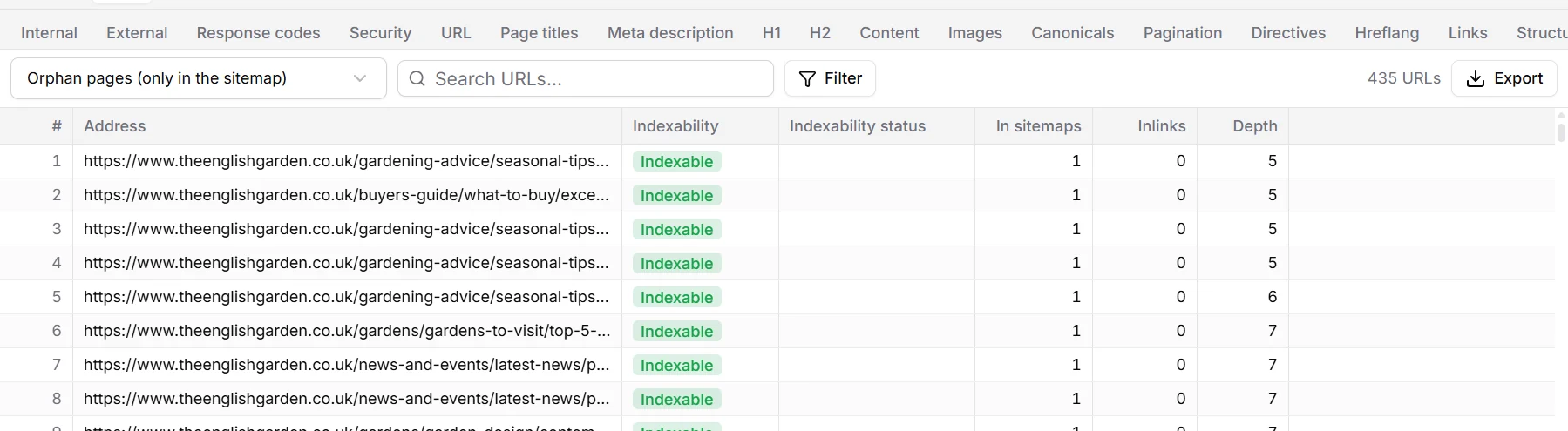
With Crawl URLs found only in sitemaps on (the default), orphan pages are crawled too, so their own problems show up as well.
Orphan pages often are old content nobody links to any more. Link to the ones that matter from a related page or category, and redirect or remove the rest.
Generate a sitemap
Export›Generate XML sitemap… writes a sitemap of every indexable page of the open crawl. Large sites are split into several files with a sitemap index, as the format requires.
- Include last modified dates takes each page's date from its Last-Modified header, where the server sends one.
- Change frequency and priority can be added, by click depth or as a fixed value. Google ignores both; other search engines may use them.
- Export›Generate image sitemap… lists the images of each indexable page.
See also Exports and reports.