Comparing crawls
Put two crawls side by side: what's new, what's fixed and what got worse, for every check and every list.
Compare two crawls
Crawl a site again after changes, a relaunch or a month of work, and compare: what got fixed, what's new, and what broke.
- Switch the mode on the left of the crawl bar to Compare.
- Choose the Current crawl and the Previous one to compare it with. BumbleCrawl suggests the latest two crawls of the site; any two crawls can be picked, even of different sites. The arrows swap them.
Health, the sidebar and every table now show both crawls.
Changes in Health
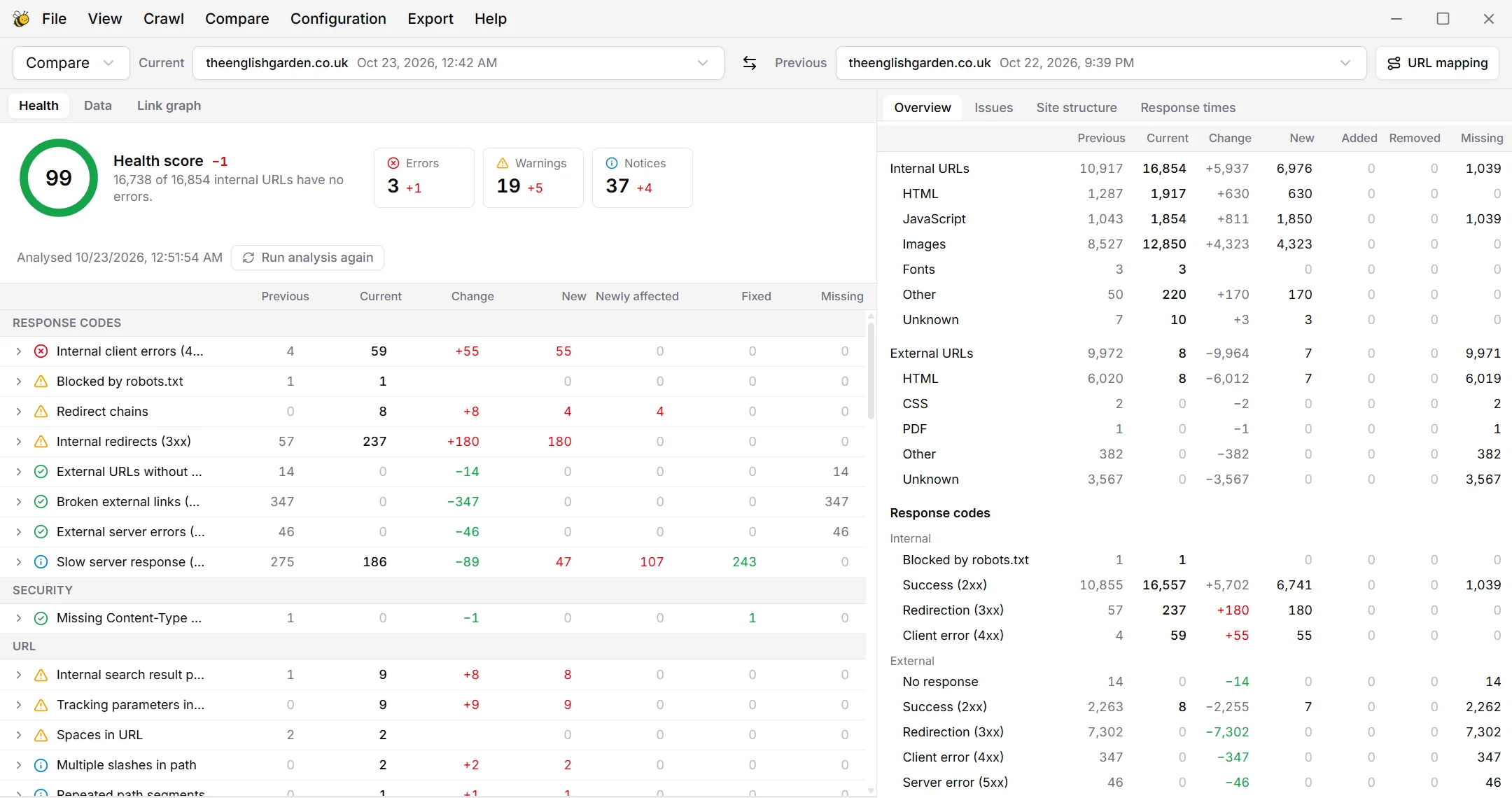
For each check, the change is split into where it comes from:
- New
- URLs only in the current crawl that have the issue.
- Newly affected
- URLs in both crawls that didn't have the issue before and have it now: things that broke.
- Fixed
- URLs in both crawls that had the issue and no longer do.
- Missing
- URLs only in the previous crawl. If many are missing, check whether pages were removed on purpose.
This keeps a growing site from hiding its problems: 50 more broken links can be 50 new pages with the same broken widget, or 50 old pages that broke.
Changes in the tables
Above every table, the view selector switches which URLs are listed:
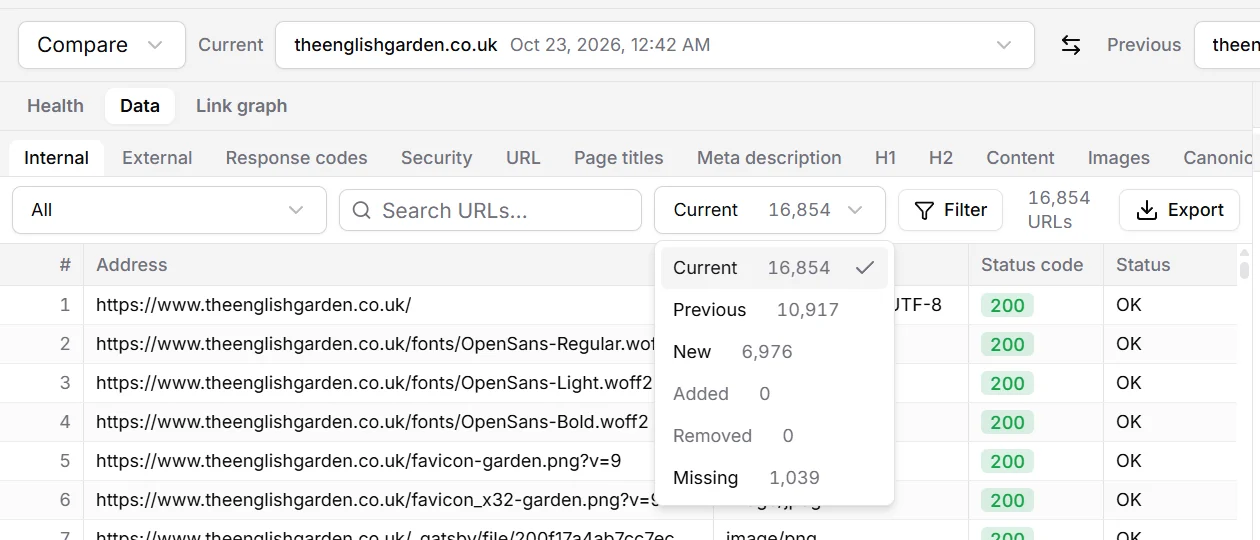
- Current, Previous
- The list as it is in one of the two crawls.
- New, Missing
- URLs that are only in the current, or only in the previous crawl.
- Added, Removed
- URLs in both crawls that joined or left this list, for example pages that became non-indexable.
When URLs changed
After a relaunch, the same pages often have new addresses: a new domain, HTTPS, or a new folder structure. Then every page would count as new and missing. URL mapping rewrites the previous crawl's URLs so they match the current ones:
- A rule replaces a part of the URL, e.g.
http://old-domain.com/withhttps://www.new-domain.com/. - With regular expressions on, groups can be reused:
/blog/(\d+)/(.*)to/articles/$2.
Saved per crawl
The crawl you compared with and the mapping are saved with the crawl. Reports and scheduled crawls compare with the previous crawl automatically.
Use the same crawl configuration for both crawls. A different user agent, limit or rendering setting changes the results as much as changes to the site do.