Custom search and extraction
Find pages that contain (or lack) a text, and collect values from every page with CSS selectors, XPath or regular expressions.
Your own rules
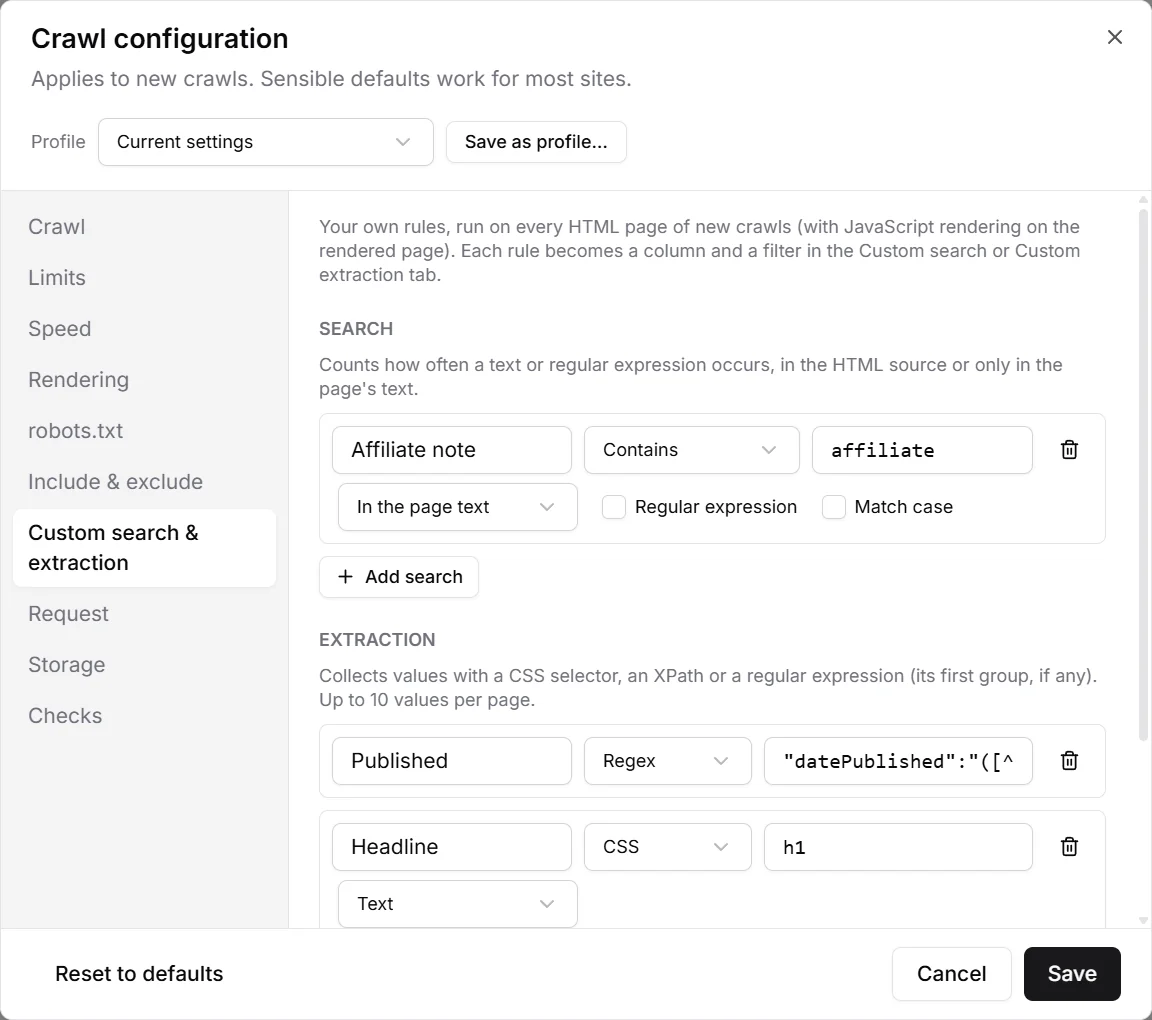
The built-in checks cover what every site needs. For everything specific to yours there are your own rules, run on every HTML page of a crawl:
- A search finds pages that contain, or don't contain, a text: an old phone number, a tracking code, the word “discontinued”, a missing cookie banner.
- An extraction collects values from each page: prices, authors, publishing dates, SKUs, the number of reviews, anything with a recognisable place in the HTML.
Set them up under Configuration›Crawl configuration… › Custom search & extraction. Up to 10 searches and 10 extractions; they apply to the next crawl.
Searches
- Contains / Doesn't contain
- List the pages with a match, or the pages without one (e.g. pages missing your analytics code).
- In the HTML / In the page text
- Search the HTML source, including scripts and attributes, or only the text a visitor reads.
- Regular expression, Match case
- Search for a pattern instead of a plain text, and tell upper and lower case apart.
Each search counts how often it matches on every page.
Extractions
- CSS
- A selector, as in your stylesheet or the browser's developer tools:
h1,.price,[itemprop=author]. - XPath
- For what CSS can't reach, e.g.
//meta[@name='author']or the third table cell of a row. - Regex
- A regular expression on the HTML. If it has a group in brackets, the group is the value:
"datePublished":"([^"]+)"pulls the date out of structured data.
For CSS and XPath, choose what to keep: the element's Text, its HTML, its Inner HTML or one Attribute (such as href or content). Up to 10 values are kept per page.
Rules run in a real browser engine, so a selector that works in your browser's developer tools works here too. With JavaScript rendering on, they run on the rendered page and can find content that scripts add.
The results
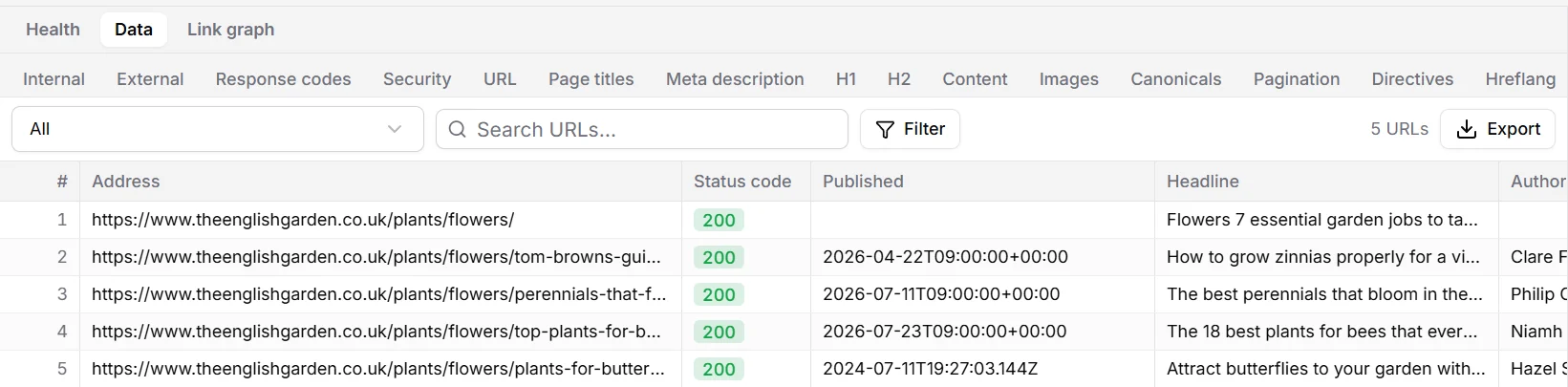
Each rule becomes a column in the Custom search or Custom extraction tab of the table, and a filter in the list above it.
Export them
Like every table, the results export to CSV or Excel with Export: a quick way to get, say, every product with its price, or every article with its author and date.