Duplicates, similar topics and spelling
Pages with the same or nearly the same text, pages competing for the same topic, pages off the site's topic, and typos.
Four ways pages can overlap
BumbleCrawl compares the main content of every indexable page with every other after a crawl. The results are checks in Health and columns in the Content tab of the table:
- Exact duplicate pages
- The same main content under two or more addresses.
- Near-duplicate pages
- Text that is at least 90% the same, e.g. product variants or copied location pages.
- Pages about the same topic
- Different text, but the same distinctive terms: pages that probably compete for the same searches.
- Pages off the site's topic
- Pages whose content is far from what the rest of the site is about. Needs the optional AI model.
The limits, 90% for near duplicates and 50% for the same topic, can be changed under Configuration›Crawl configuration… › Checks.
Duplicates and near duplicates
Duplicates compare the text itself, word sequence by word sequence. Select a page and open the Duplicates tab to see which pages it duplicates and how similar they are.
Fix them by deciding which page should rank: redirect the others to it, point their canonical to it, or give each page content of its own.
Pages about the same topic
Two pages can use completely different sentences and still be about the same thing. To find those, BumbleCrawl describes every page by the terms most typical of its whole main text, weighted by WDF*IDF: a term counts more the more often a page uses it, and the fewer pages of the site use it. Words every page uses count for nothing; a term only a handful of pages use counts a lot.
Pages are then compared by these terms. Select a page and open Similar pages to see its strongest terms and the pages closest to it, with the terms they share:
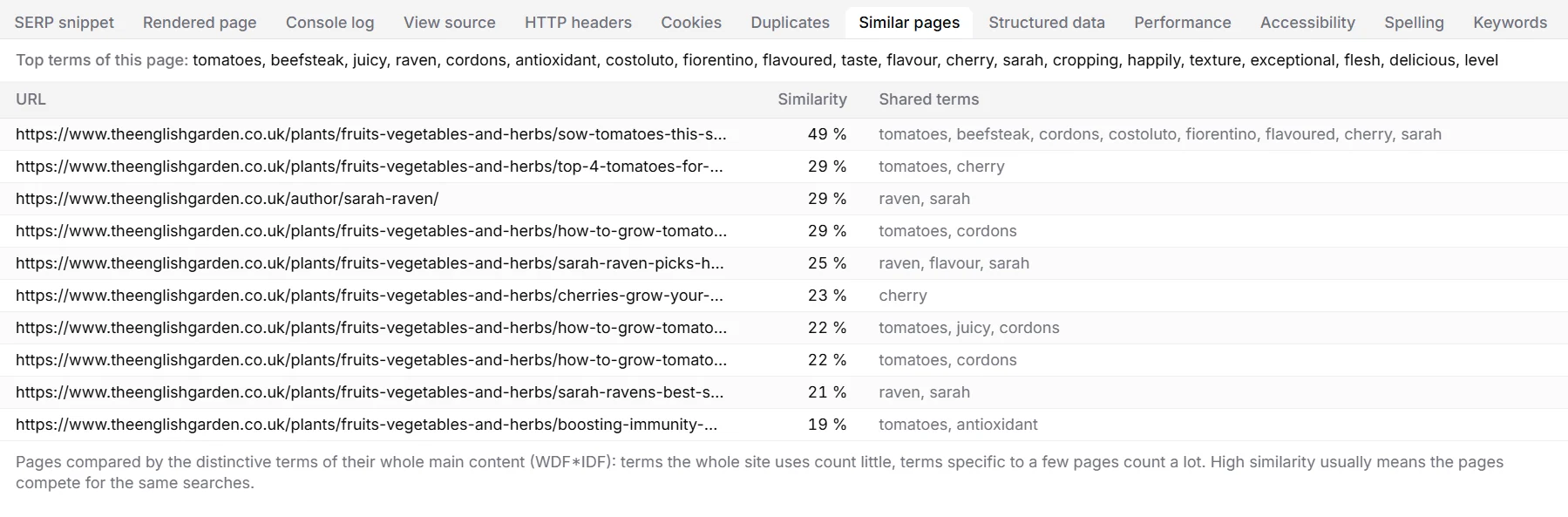
- The Content tab shows each page's Top terms, its Most similar page (topic) and the Similarity (topic), so you can sort the whole site by it.
- Pages at 50% or more are listed in Health as Pages about the same topic.
Compare the two pages in Search Console: if both get impressions for the same queries and neither ranks well, merge them into one stronger page and redirect the other. If they serve different intents, give each its own focus, title and wording.
The same terms also group the pages of the link graph into topics.
Pages off the site's topic
Some pages don't fit the rest of a site: an old campaign, a test page, spam, or a recipe section on a garden site. Finding those needs an understanding of meaning, not just shared words, so this check uses a small language model that runs on your computer.
The model is optional. Download it once under File›Settings… › Local AI model (118 MB). From then on, BumbleCrawl compares each crawl's pages with the site as a whole after the crawl, and the check Pages off the site's topic appears in Health. The Relevance to site column in the Content tab shows how close each page is.
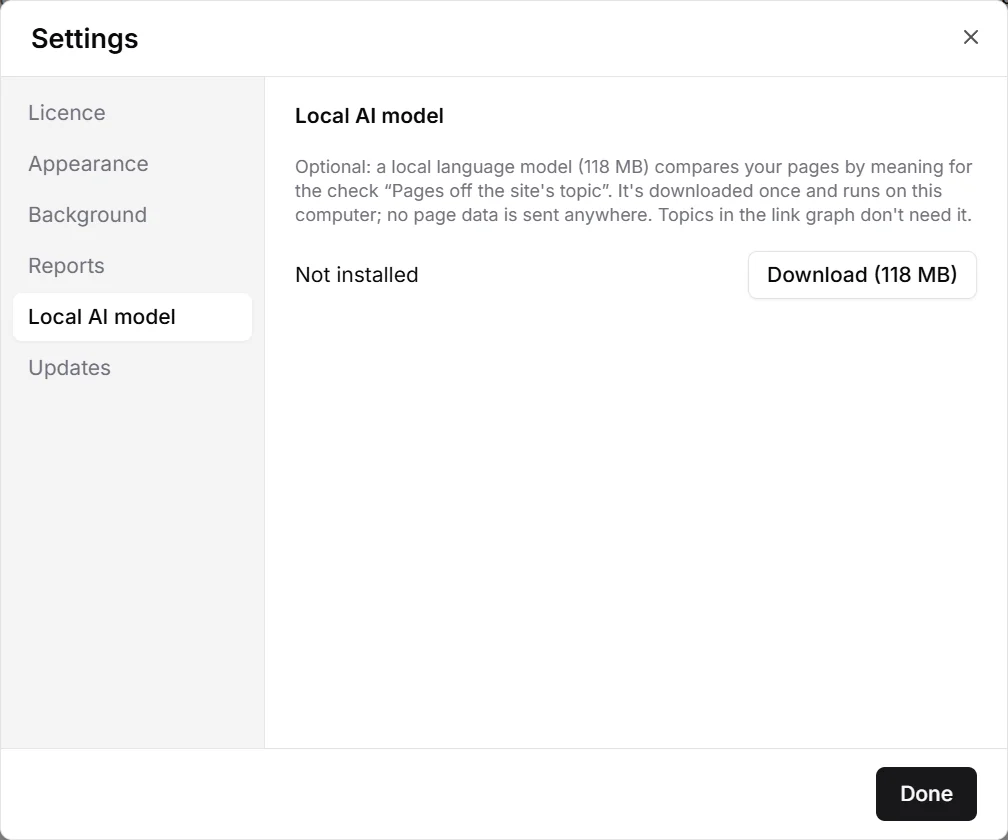
No page data leaves your computer, and the model can be deleted again in the same place.
Spelling
With spelling on (the default), BumbleCrawl checks the text of every page with English and German dictionaries. It uses the language a page declares, or guesses it.

- Words used on many pages of the site, such as brand and product names, aren't counted as mistakes.
- Plant names, technical terms and names you use often go on the ignore list in Checks › Words to ignore, one per line.
- The Spelling tab of a page lists its possible mistakes; the Content tab counts them per page.
More content checks
Also in Health
- Thin content: pages under 200 words (adjustable).
- Difficult and very difficult to read, by a readability score of the text.
- Possible soft 404 pages: “not found” pages that answer with status 200.
- Placeholder text such as lorem ipsum.