AI assistants (MCP)
Let Claude and other AI assistants read your crawls, explain issues and start new crawls, through BumbleCrawl's MCP server.
Ask Claude about your crawl
BumbleCrawl has a built-in MCP server. MCP (Model Context Protocol) is the standard way for AI assistants like Claude to use other programs. Once it is set up, you can ask in plain language:
- “What are the most important problems on example.com, and how do I fix them?”
- “Which pages lost their meta description since last month's crawl?”
- “List the product pages with a title over 60 characters and suggest shorter titles.”
- “Crawl staging.example.com and tell me what differs from the live site.”
The assistant reads the crawls on your computer: BumbleCrawl itself starts in the background when the assistant needs it. What it reads goes to the assistant you use, as with anything you share in a chat.
Set it up
Open Configuration›Integrations… › MCP server:
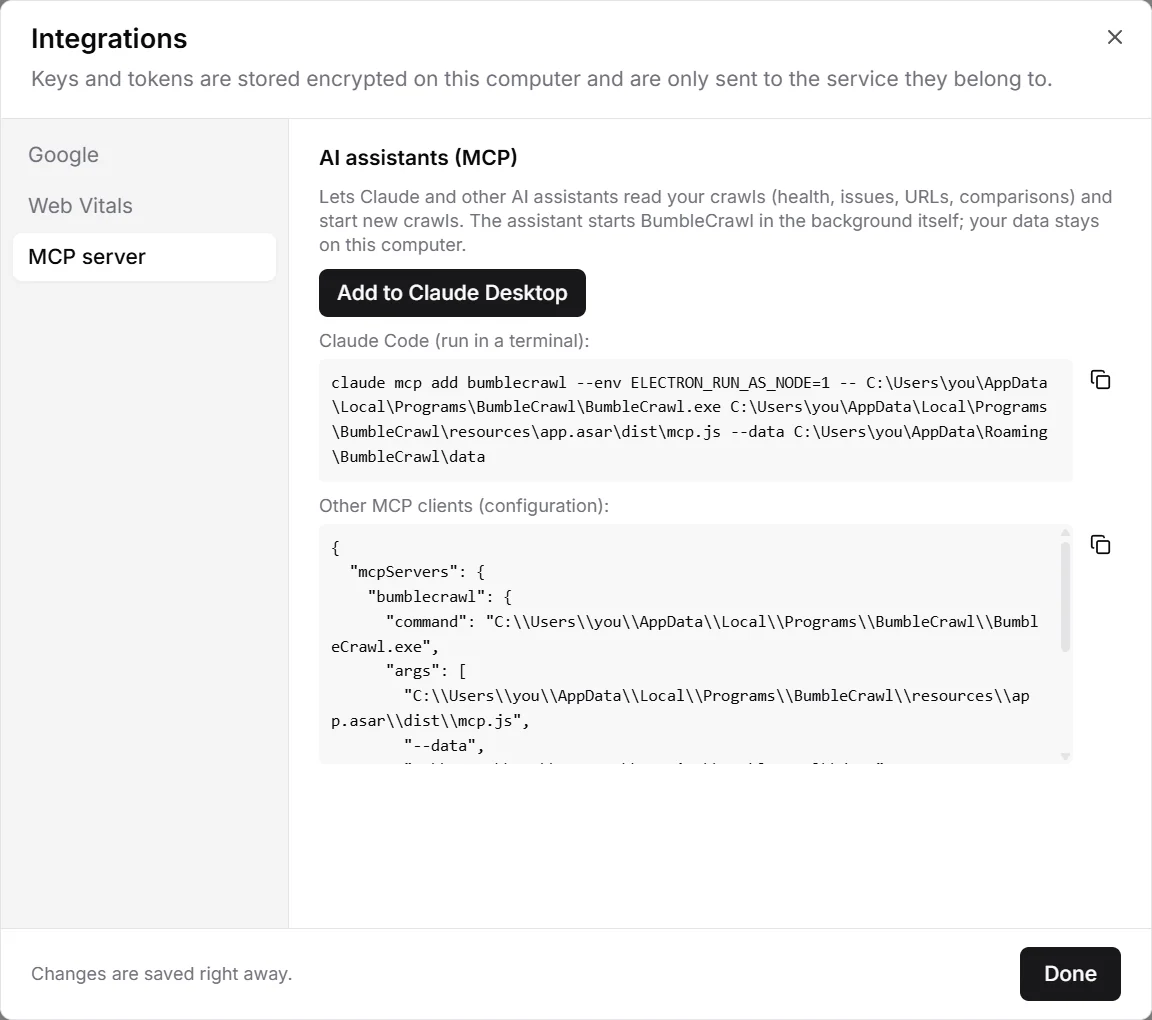
- Claude Desktop
- Click Add to Claude Desktop, then restart Claude Desktop. BumbleCrawl appears in its list of tools.
- Claude Code
- Copy the command and run it in a terminal.
- Other clients
- Cursor, VS Code, Windsurf and other MCP clients: copy the configuration into the client's MCP settings.
The command and configuration contain the path of BumbleCrawl on your computer. If you move or reinstall it somewhere else, set it up again.
What the assistant can do
- List crawls
- The sites you crawled and their crawls.
- Site health
- The health score and all failing checks, most severe first, with the change since the previous crawl.
- Issue details
- Why an issue matters, how to fix it, and the affected URLs, most linked first.
- URL details
- Everything about one URL: status, indexability, title, headings, canonical, links, performance and structured data.
- Search URLs
- Any table of the app, with its filters.
- Compare crawls
- What changed between two crawls.
- Start a crawl
- Crawls a site with your crawl settings (without JavaScript rendering) and reports its progress. Free stops at 500 URLs, as in the app.