Crawl files
Where your crawls are saved, how to open older ones, and how to pass a crawl to a colleague.
Every crawl is a file
BumbleCrawl saves each crawl as a single file on your computer, with everything it found: every URL, link, header, check result and, if you turned them on, the HTML and screenshots. Nothing is uploaded anywhere, and there is no account.
The files live in BumbleCrawl's data folder, one subfolder per site:
- Windows:
%APPDATA%\BumbleCrawl\data\crawls - macOS:
~/Library/Application Support/BumbleCrawl/data/crawls
Include that folder in your backup to keep your crawl history. A crawl of a few thousand pages takes a few megabytes; storing the HTML of every page makes files much larger.
Open an earlier crawl
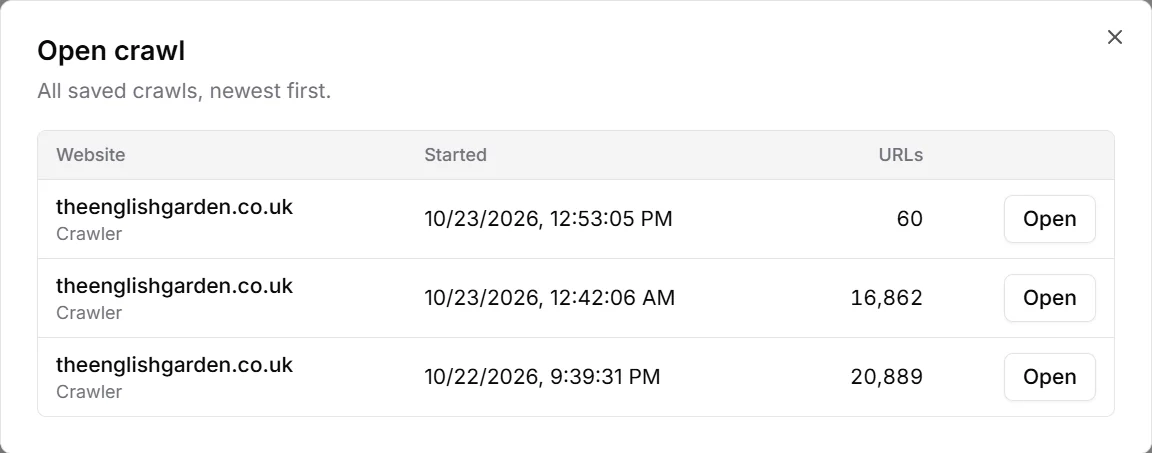
File›Open crawl… lists all saved crawls, newest first, with the site, the date and the number of URLs. File›Recent crawls has the last few.
Older crawls stay readable after updates: BumbleCrawl upgrades a crawl file when it opens it. New checks that need data the old crawl didn't collect stay empty until you crawl again.