Crawl behind a login
Audit staging sites and member areas: HTTP passwords, and logging in through a form once before the crawl.
Two kinds of login
Staging sites, intranets and member areas are often closed to the public. BumbleCrawl can crawl them in two ways, both under Configuration›Crawl configuration… › Request:
- Password protection (HTTP basic auth): the browser asks for a user name and password in a small window before the site appears. Common for staging sites.
- Login (form): the site has its own login page, as shops, member areas and most CMS do.
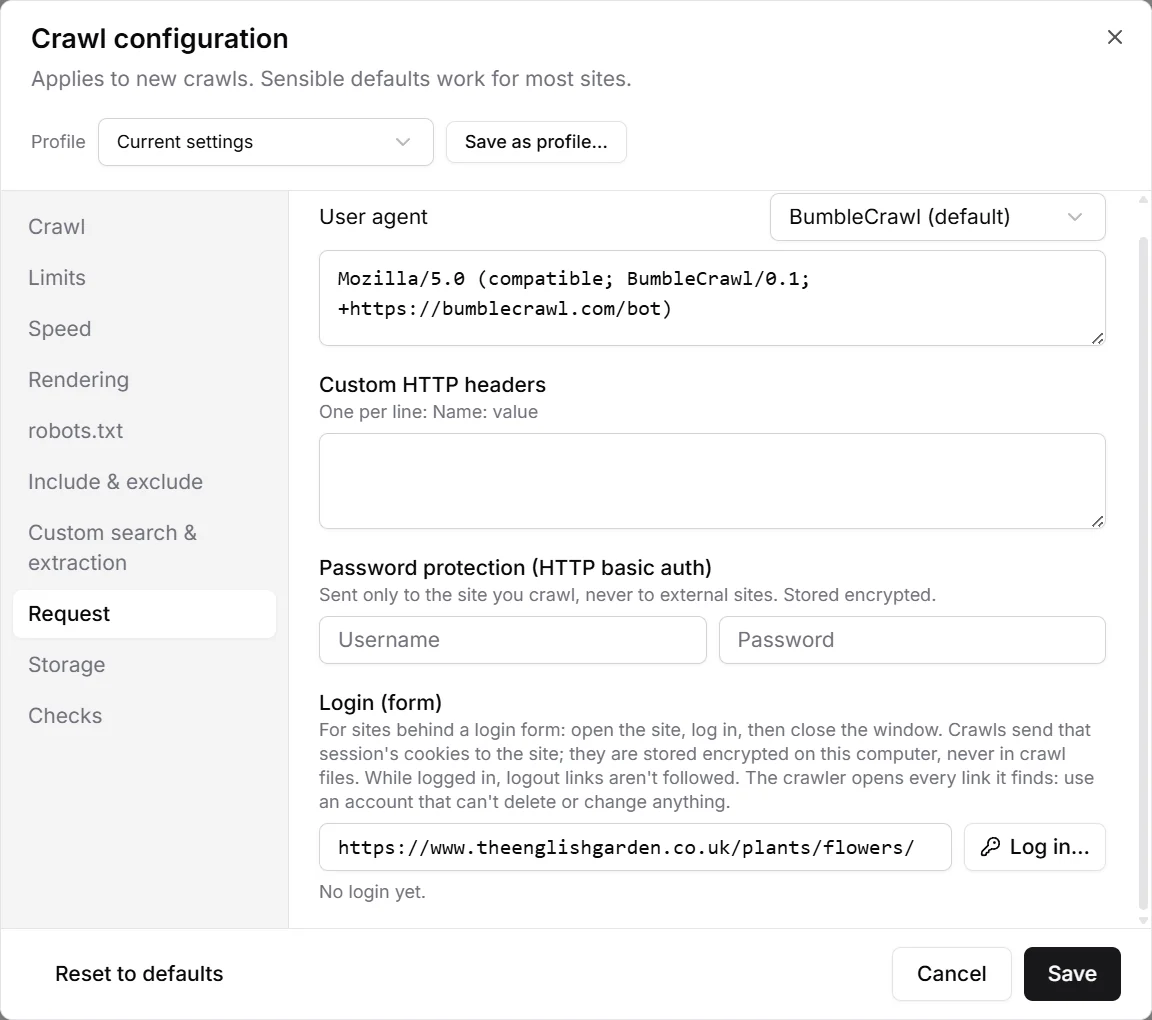
Password protection
Enter the user name and password. They are sent only to the site you crawl, never to other sites it links to, and stored encrypted on your computer. They are never written into crawl files, so you can pass a crawl on without giving away the password.
Log in through a form
- Enter the address of the login page (or any page of the site) next to Log in… and click it. A browser window opens.
- Log in as you normally would, including two-factor codes or cookie banners.
- Close the window when you're logged in. BumbleCrawl keeps the session's cookies and shows which sites they belong to, how many there are and when you logged in.
- Switch on Crawl logged in and start the crawl.
The crawl sends those cookies to the site, so it sees the pages a logged-in user sees. The cookies are stored encrypted on your computer and never in crawl files. Forget login deletes them.
Use an account that can't delete or change anything. The crawler opens every link it finds, and on some sites a link can delete a post or empty a basket. Logout links are skipped, so the session isn't ended in the middle of the crawl.
Sessions expire. If a crawl suddenly finds only the login page, log in again and resume it.