Crawl modes and user agents
Follow links from a start page or check a list of URLs, and crawl as Googlebot, Bingbot or AI crawlers like GPTBot and ClaudeBot.
Crawler, List and Compare
The field on the left of the crawl bar switches what BumbleCrawl does:
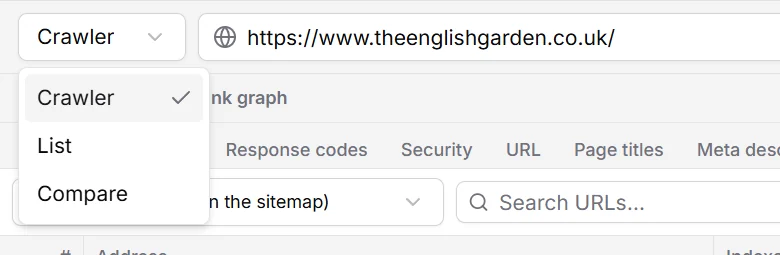
- Crawler
- Starts at the address you enter and follows every link it finds, like a search engine. The usual way to audit a site.
- List
- Checks only the URLs you give it and follows no links. For a set of pages: the URLs of a migration, a campaign, or the pages from an export.
- Compare
- Puts two crawls of a site side by side. See Comparing crawls.
Check a list of URLs
- Switch the mode to List.
- Click Upload or paste a list of URLs and paste the URLs, one per line.
- Press Crawl … URLs.
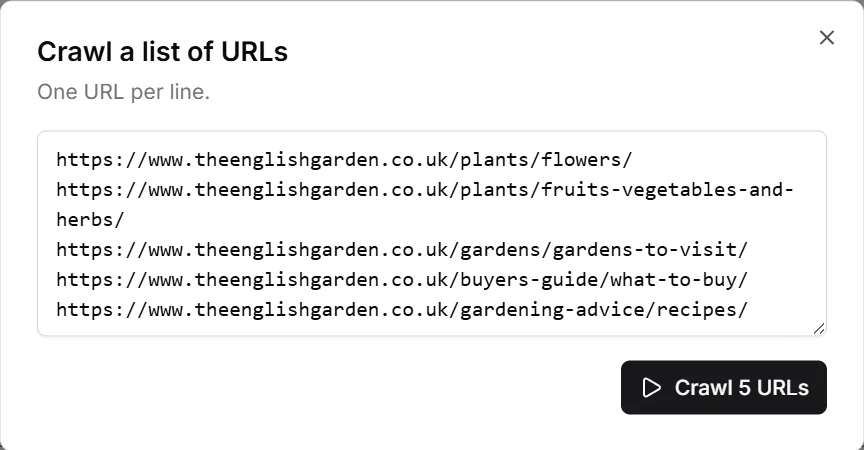
Every URL is fetched and checked like in a normal crawl: status codes, redirects, titles, canonicals, structured data and everything else. Links on those pages are checked for errors but not followed.
Before moving a site to new URLs, crawl the old site and export its URLs. After the move, paste them in a list crawl: every old URL should redirect to its new address, in one step. Redirect chains and 404s show up right away.
Crawl as Googlebot or an AI crawler
Every request carries a user agent, the name a browser or crawler gives itself. Sites can answer differently depending on it, and their robots.txt has rules per user agent. To see a site the way a particular crawler sees it, open Configuration›Crawl configuration… and choose the User agent under Request:
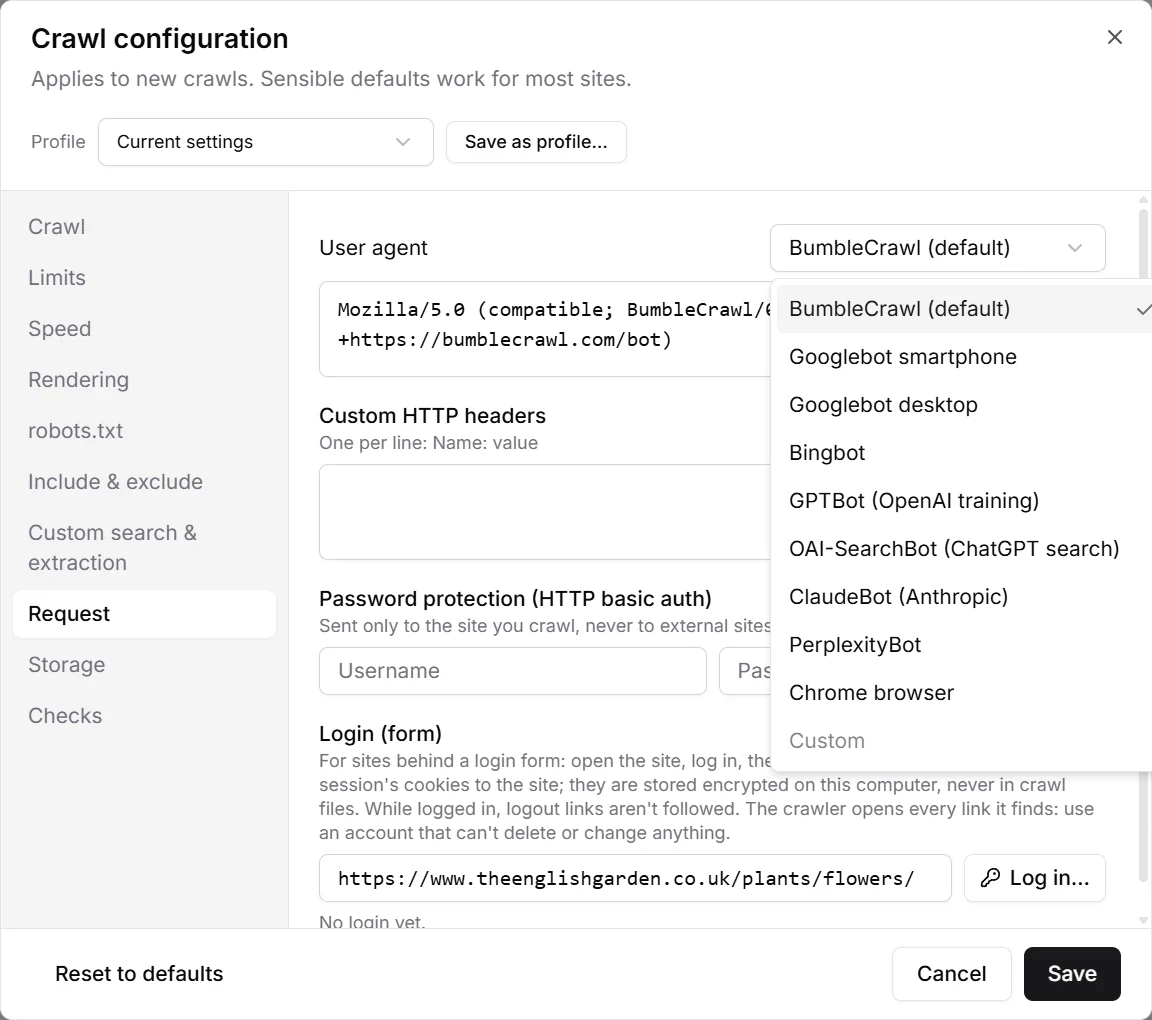
- Googlebot smartphone / desktop
- How Google crawls. Google indexes the phone version of pages, so the smartphone agent is the one that matters most.
- Bingbot
- Microsoft's crawler, which also feeds Copilot and other search engines.
- GPTBot, OAI-SearchBot, ClaudeBot, PerplexityBot
- The crawlers of AI companies. GPTBot collects training data for OpenAI; OAI-SearchBot finds pages for ChatGPT search. Many sites block some of them in robots.txt and allow others, so crawl as each to check that the rules do what you meant.
- Chrome browser
- Looks like a normal visitor. Useful when a site blocks unknown crawlers.
- Custom
- Any user agent string you type.
The robots.txt rules follow the user agent you choose: crawling as ClaudeBot obeys the rules written for ClaudeBot. The setting robots.txt user agent in the robots.txt section decides this separately if you need to.
Limit what is crawled
- Limits: the maximum number of URLs, the click depth, redirects to follow, URL length and page size.
- Include & exclude: regular expressions, one per line. Include crawls only matching URLs, exclude skips them, e.g.
\?sort=for sorted copies of listing pages. - The scope next to the address (Subdomain, All subdomains, Subfolder) is explained in Your first crawl.